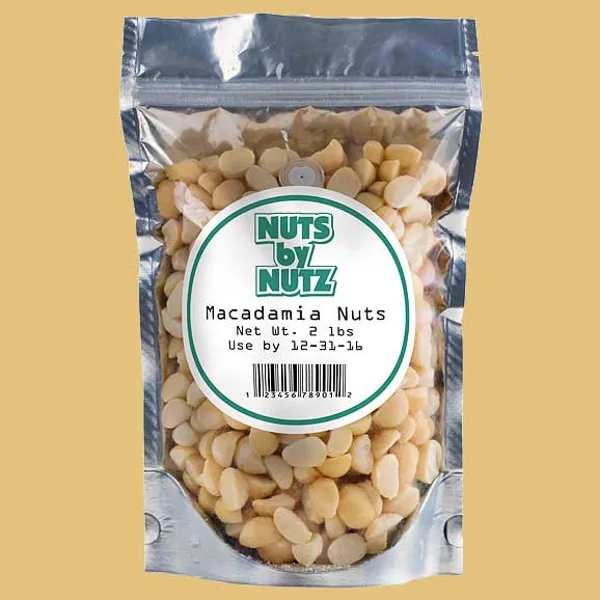
Description
Thermal Transfer Food Labels
Thermal Transfer Food Labels represent a large portion of all labels sold in the U.S. packaging industry—and for good reason. Compatible with thermal transfer printers such as Zebra and CAB, these labels deliver crisp barcodes, sharp text, and precise graphics every time. At Midwest Custom Print, our Label Experts make it simple to choose the right stock and finish for your project, balancing performance and cost.
Choose from Three Stocks & Finishes:
- Thermal Transfer Paper (No Lamination)
A classic, cost-effective solution. This uncoated paper stock is ideal for short-term or indoor applications, where moisture and abrasion are minimal. Perfect for simple barcode labeling, ingredient panels, and lot codes. - White Gloss Paper with Thermal Transfer Varnish
Offers a glossy, high-contrast finish that makes text and barcodes pop. A clear thermal-transfer-safe varnish provides light resistance to smudging and handling. Great for retail food packaging, sealed trays, and shelf labels. - White BOPP with Thermal Transfer Varnish
For rugged environments, choose BOPP film. Tear-resistant, moisture-resistant, and suitable for refrigerated or frozen conditions. The thermal-transfer varnish protects your print from condensation and abrasion, ensuring legibility throughout the supply chain.
No matter which option you select, our labels are precision-die-cut to your shape and supplied in rolls, ready for hand-or-machine application. We’ll help you determine the best adhesive for your substrate—whether it’s plastic tubs, metal trays, or paper pouches—and ensure your labels meet food-safety standards.
Key Features & Benefits:
- Printer Compatibility: Optimized for Zebra, CAB, and other thermal transfer printers.
- High-Resolution Print: Sharp barcodes, text, and simple graphics at up to 300 dpi.
- Multiple Materials: Paper or BOPP film, with optional varnish for extra durability.
- Food-Grade Options: Adhesives and varnishes safe for indirect food contact.
- Custom Die-Cuts: Tailored shapes and sizes to fit any package.
Specifications:
- Material Options:
- Thermal Transfer Paper (no finish)
- White Gloss Paper + Thermal Transfer Varnish
- White BOPP Film + Thermal Transfer Varnish
- Inks: Thermal Transfer Ribbon (user-selected ribbon)
- Lamination/Varnish: As specified above
- Finish: Rolls (compatible with hand or machine application)
FAQs
- Which stock is best for freezer use?
The White BOPP with varnish performs best in refrigerated and frozen conditions. - Do these labels work with my Zebra printer?
Yes—our Thermal Transfer Paper and BOPP stocks are fully compatible with Zebra and CAB thermal transfer printers. - Can you help me choose the right ribbon?
Absolutely. Our team will recommend the appropriate thermal ribbon based on your application and material choice. - Are the varnishes food-safe?
Yes, our thermal transfer varnishes meet food-contact safety standards for indirect food applications. - What’s the minimum order quantity?
We support runs starting at 500 labels; let us know your size and we’ll provide a custom quote.
At Midwest Custom Print, we’re passionate about streamlining your custom label printing experience. Should you encounter queries or require assistance, reach out to us at 844-928-7866. Familiarize yourself with our Artwork Policy to ensure smooth collaboration. Also, immerse in our dynamic community and stay abreast of updates on Facebook.